 Beacon optional
Homework researchMaya · family laptop
AllowedApproved learning use
$0.18SignalCost Personal
See how AI is being used, protect against common risks, and keep household AI spending in check.
The family conversation has already started
Research does not say every AI interaction is harmful. It does show that chatbot use is widespread, reaches beyond schoolwork, and is not always visible to parents.
AI use is already a normal part of teen life—not a future possibility.
Pew Research Center · 2026Homework is one of the clearest places to begin a family conversation about responsible use.
Pew Research Center · 202664% of teens report using chatbots, while 51% of parents say their teen uses them.
Pew Research Center · 2026That makes trusted people and healthy boundaries especially important when AI feels personal.
Common Sense Media · 2025Scope: Pew surveyed 1,458 U.S. teens ages 13–17 and their parents in September–October 2025. Common Sense Media and NORC surveyed 1,060 U.S. teens ages 13–17 in April–May 2025. These findings describe reported behavior; they do not prove that AI caused a particular outcome. Research is still developing.
One calm place to check in
Add family members, assign each protected machine, follow supported AI use in chronological Activity, and use the separate Activity Map to explore fine-grained subjects across personal and family life. Recurring subjects that do not fit today's categories can form new map clusters over time.
Write clear Family Rules in everyday language—such as homework-only use or evening hours. On supported managed paths, Family Rules consume bounded activity and risk facts before provider use, so homework mixed with gaming or gambling is not treated as homework-only and uncertain activity can ask a parent.
See each person’s projected monthly cost at the current pace, set a practical limit, get a heads-up at 75%, and stop supported prompts when the limit is reached.
Made for real homes
Start with one supported browser or device. SignalCost begins organizing AI activity into a clear family view.
Write a family schedule or activity limit in one sentence, then set sensitive-information protection and spending limits.
Review a plain-language explanation when activity is allowed, paused, routed, or stopped.
Privacy that can match your household
PrivateProof keeps readable prompt text on the protected device or Beacon. SignalCost Cloud receives only a minimized proof with bounded topic and intent facts, separate risk facts, the Family Rule decision, route, and cost.
SignalCost Beacon for families
Beacon brings supported capture and family rules closer to the devices in your home. It can make local decisions, keep the latest rules available during an internet interruption, and send a minimized receipt to your family space.
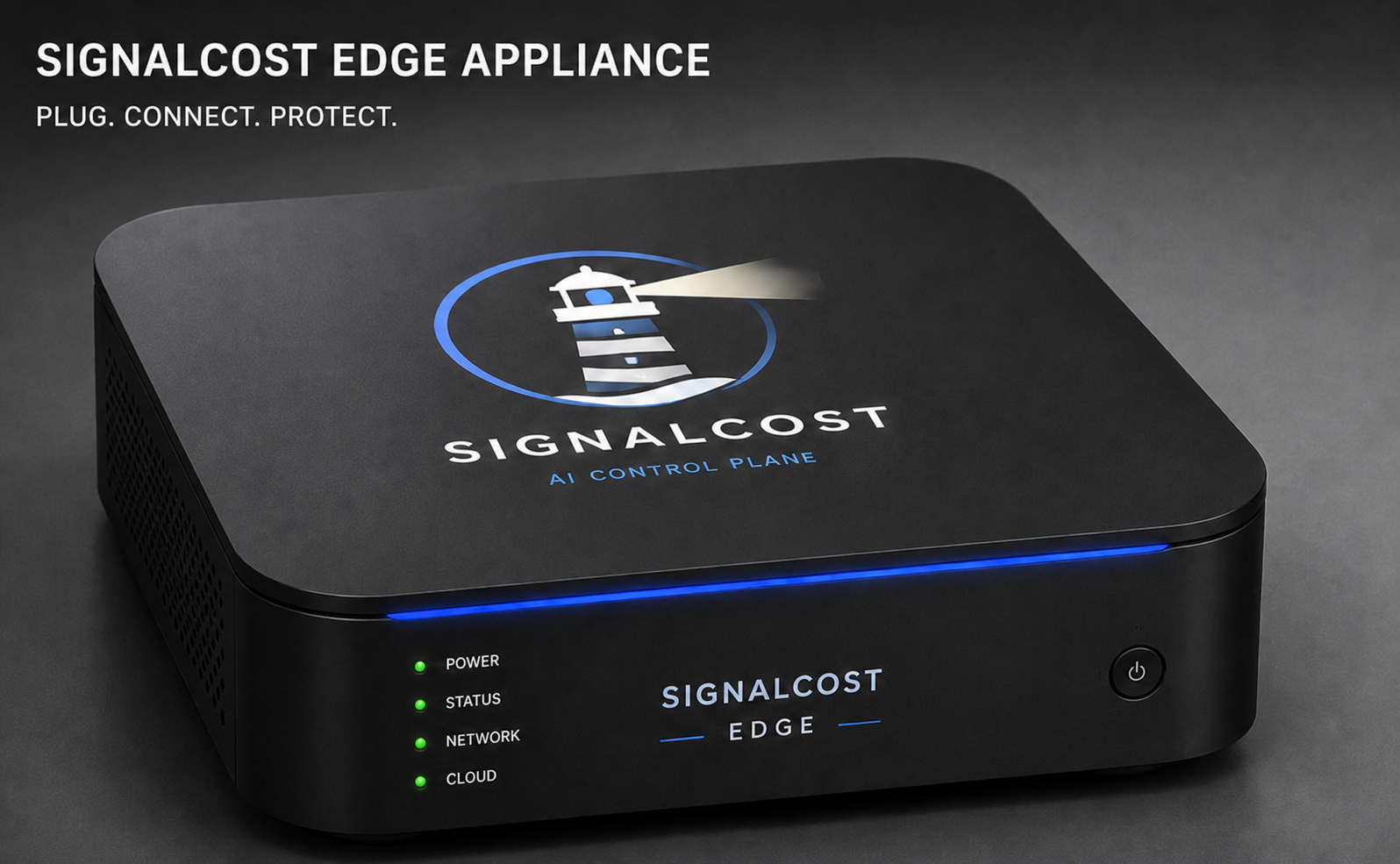
Simple starting point
Start with 30 days free, no credit card required. Then $99/year for one family space across supported household devices.
Presale: pay $2,499 in full to reserve a device. Estimated shipping November 2026. Personal subscription sold separately.
SignalCost monitors configured capture paths. It does not claim to see or block every AI interaction on every device.
Questions families ask
No. Family Tuning is optional and lives in its own area of your family space. A family administrator can categorize activities they recognize to make current summaries clearer and provide corrected examples for future tuning. These examples can help improve future topic and intent predictions when reviewed updates are applied. Saving a category does not instantly retrain the system, and your privacy settings still apply.
No. Your 30-day free trial starts after email verification. Personal costs $99 per year afterward. A family administrator can add a payment method in Subscription to continue after the trial.
Beacon is available for presale at $2,499 per device, paid in full when you reserve. Estimated shipping is November 2026. Your Personal subscription is separate, and order updates appear in Beacons.
SignalCost automatically uses token totals reported by supported AI responses when available. When a supported website omits them, SignalCost counts the submitted text locally before applying the family’s privacy setting. Where the site exposes a usable answer stream, SignalCost can count that locally too. In PrivateProof mode, only the token counts leave the browser. If your family chose to store prompt text, SignalCost can restore an input-only estimate from that approved history without sending the text to a pricing source. SignalCost then applies the observed model’s advertised public API price. If the service hides its model, SignalCost may use that provider’s reviewed default forecast price and labels the result Estimated with lower confidence. Published request fees are included where applicable. The daily reviewed catalog currently covers OpenAI, Anthropic, Google, DeepSeek, Qwen, Kimi/Moonshot, Perplexity, xAI, and Mistral; Meta AI, Character.AI, NotebookLM, and Poe remain unavailable when their consumer activity has no comparable public token price. The month-end projection is an API-price equivalent, not the separate price of a provider subscription. Provider subscriptions and uncaptured activity are not included.
Estimated uses locally counted text and a reviewed public API price; a hidden model can use a provider forecast price only when SignalCost has a defensible default. Metered uses token totals reported by the provider response and that model’s public price. Reconciled uses provider billing or invoice evidence. When usable evidence or a comparable price is missing, SignalCost shows Cost unavailable instead of showing $0. Stopped before provider means SignalCost blocked the request before inference and no inference charge is expected.
Choose the setting that fits your family. PrivateProof (recommended) uses SignalCost's patent-pending privacy-preserving techniques to keep readable prompt text on the protected device or Beacon while sending only a minimized proof—such as purpose, risk, rule decision, route, and cost—to SignalCost Cloud. Redacted mode keeps a shortened version with sensitive details removed when supported. Full-prompt review lets a family administrator see retained prompt text and must be turned on explicitly.
Yes. One private family setup key can be reused with the SignalCost installer on supported household computers. Each completed installation appears as a separate, friendly device that a family administrator can assign to the person who uses it.
Run the installer once on each household computer and use your family setup key. Devices shows any remaining browser-activation steps. Chrome and Edge can use the prepared extension folder during the current pilot. The macOS installer includes Safari support; enable the extension and approve website access in Safari Settings. Firefox will be available after its signed release is published. After activation, supported AI sites are detected automatically without a separate setup for each AI tool. Submit one safe new prompt and check Activity to confirm capture on that device.
SignalCost supports configured browser, computer, gateway, and Beacon capture paths. Automatic browser capture recognizes 17 named browser products without a separate provider key or provider-by-provider setup: ChatGPT, Codex, Claude, Gemini, Google AI Mode, Perplexity, Microsoft Copilot, Grok, Le Chat, DeepSeek, Meta AI, Character.AI, NotebookLM, Poe, Qwen, Kimi, Google AI Studio. Meta AI, Character.AI, NotebookLM, Poe, Google AI Studio use observation-only transport, so SignalCost can record supported message-box activity without claiming verified network-request control. Kimi has a fixture-verified legacy JSON request path, while its current binary Connect transport remains observation only. No browser product is labeled certified for request control in this release. Certification requires a dated authenticated test proving that a blocked request never reached the provider. Install the current release and complete browser activation to use this coverage. Coverage still depends on the device, browser, AI site, and connected capture path. Check Activity for a new captured prompt; a connected device alone does not confirm every AI site is working. Browser coverage does not mean the same service's mobile or desktop app is covered.
Yes. A family administrator can pause capture for the whole family space from Settings and resume it when ready. Managed household browsers and computers stop collecting and forwarding new activity while capture is paused.
Yes. A family administrator can open Settings and choose Clear all history. SignalCost permanently removes captured AI activity, any retained prompts and linked Family Rule reviews, and capture-derived cost history for that family space. Family members, protected devices and assignments, Family Rules, the setup key, privacy and pause settings, account security, support requests, and minimized audit evidence stay in place. New activity appears again unless capture is paused.
Family Rules provide plain-language choices for protecting personal information, asking before a new AI tool is used, pausing unusual activity, and setting household spend limits. A family administrator can also write one sentence for a person, such as AI only during chosen hours or only for homework; SignalCost checks the name and turns it into a structured rule. If SignalCost is not certain that a request matches an allowed activity, it asks a parent or guardian. Enforcement applies only on supported managed paths.
No. Beacon is optional. It adds a local checkpoint for supported home capture and rule decisions, including a minimized Cloud receipt and continued local checks when the internet connection is interrupted.
Sign in to your family space and open Help. You can read quick answers or send a support request from your verified account. SignalCost records the request in your family space and emails the support team without automatically attaching prompts or private setup keys.
Bring some calm to family AI use